eDPI vs cm/360: Which Sensitivity Metric Should You Actually Use?
eDPI and cm/360 aren't interchangeable. The real math behind each metric, why pros standardize on cm/360, and which one to use for syncing aim across games.
eDPI vs cm/360: Which Sensitivity Metric Should You Actually Use?
Ask ten players how to compare mouse sensitivity across games and you’ll get ten different answers — “just match your eDPI,” “no, match your cm/360,” “just eyeball it.” Only one of those answers actually produces the same physical arm movement in every game. The other is a convenient shortcut that quietly breaks the moment you switch titles.
Here is the real math behind both metrics, why they disagree with each other, and which one you should actually be using depending on what you’re trying to do.
What Is eDPI?
Effective DPI (eDPI) is the simplest possible sensitivity metric:
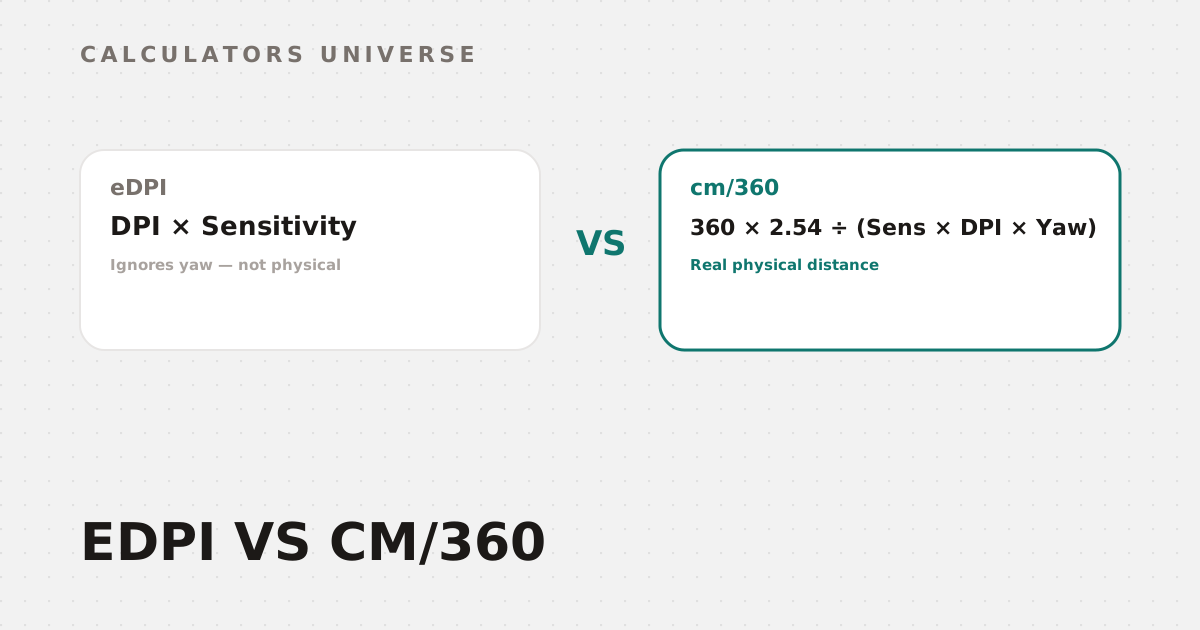
eDPI = Mouse DPI × In-Game Sensitivity
800 DPI at 0.4 sensitivity gives you an eDPI of 320. It’s popular because it’s dead simple to compute and it’s “good enough” for comparing two setups within the same game. The problem is what it doesn’t account for: it has no idea how many degrees your camera actually rotates per count. That number — called yaw — is different in every game engine, which means the same eDPI can feel completely different in CS2 versus Valorant versus Apex Legends.
What Is cm/360?
cm/360 answers a more useful question: how many real centimeters of physical mouse movement does it take to do a full 360° turn? Because it factors in each game’s yaw constant, it represents actual physical distance — the same cm/360 value feels identical in every game, regardless of engine.
cm/360 = (360 × 2.54) ÷ (Sensitivity × DPI × Yaw)
The only difference is the Yaw term — and it's the difference that matters
The Core Difference, Side by Side
| eDPI | cm/360 | |
|---|---|---|
| What it measures | A raw multiplication, no physical meaning | Real physical mouse-pad distance for a full turn |
| Accounts for game yaw | No | Yes |
| Comparable across different games | No — same eDPI can feel very different per title | Yes — same cm/360 feels identical everywhere |
| Best used for | Quick same-game sensitivity notes | Syncing your exact feel across every FPS you play |
| Community standard for | Casual reference | Competitive/pro setup replication |
Why Pro Players Standardize on cm/360
Nearly every top competitive FPS player — across CS2, Valorant, and Apex Legends alike — reports their setup in cm/360, not eDPI, precisely because it’s the only metric that survives a game switch unchanged. Most professional players cluster in a fairly narrow physical range:
- Under 20cm/360 — “low sens,” favored for fast flick-heavy playstyles
- 20–40cm/360 — the most common competitive range, balancing flicks and tracking
- 40cm+/360 — “high sens,” favored by a smaller group prioritizing tracking precision over raw flick speed
If you only ever match eDPI when switching games, you can land anywhere on that scale by accident — the same eDPI number might put you at 15cm/360 in one game’s yaw and 55cm/360 in another’s.
Which Tool Should You Actually Use?
- Want a fast eDPI number for reference or to compare two setups in the same game? Use the eDPI Calculator — it also outputs cm/360 alongside it for a quick sanity check.
- Switching between two specific games and want the exact matching sensitivity, plus a database of known pro settings? Use the Sensitivity Converter.
- Want your real cm/360 from one game, classified into a sensitivity tier, with the matching setting for every other major FPS generated at once? Use the Mouse DPI Analyzer (cm/360 Calculator) — this is the one built specifically to hold your physical cm/360 constant across an entire game library in a single pass.
- Also changing games means your crosshair looks different at the same size — sync that too with the Crosshair Size Converter.
- Once your sensitivity is locked in, put it to use with a structured plan from the Aim Trainer Session Planner, and check how sensitivity and reaction time interact with kill speed using the TTK Calculator.
Frequently Asked Questions
Is cm/360 more accurate than eDPI?
It’s not “more accurate” so much as measuring something different — eDPI is a same-game shorthand, while cm/360 is a real physical distance that stays consistent across every game’s different camera yaw.
What cm/360 do most pro players use?
Most competitive players sit somewhere between 20cm and 40cm/360, though a meaningful minority play well below 20cm (“low sens”) or above 40cm depending on playstyle.
Can I just convert eDPI directly to cm/360?
Not accurately — you need the specific game’s yaw constant to do the conversion correctly, which is exactly what tools like the Mouse DPI Analyzer and Sensitivity Converter calculate for you.
Does DPI itself matter, or only the final cm/360?
For aim consistency, only the final cm/360 matters — the same cm/360 feels identical whether you get there with 400 DPI and a higher sensitivity or 3200 DPI and a lower one. DPI mostly affects raw input smoothness and USB polling interaction, not the physical distance itself.
Why do some games use “sensitivity multiplier” instead of a raw number?
It’s an engine design choice, not a different physical concept — under the hood it’s still converted to degrees rotated per count, which is exactly what the yaw constant represents in the cm/360 formula.
Related Calculators
Start with the Mouse DPI Analyzer (cm/360 Calculator) to find your real physical sensitivity, cross-check it with the eDPI Calculator and Sensitivity Converter, sync your Crosshair Size Converter to match, then build consistent muscle memory with the Aim Trainer Session Planner and see how it plays into kill speed with the TTK Calculator.
External Resources
- mouse-sensitivity.com — community-maintained database of pro player sensitivities and yaw constants across major titles
- KovaaK’s — official site for the aim-training platform referenced in competitive sensitivity discussions