Apex Legends RP Calculator: Why Elite Efficiency Can Still Get Labeled 'Relaxed'
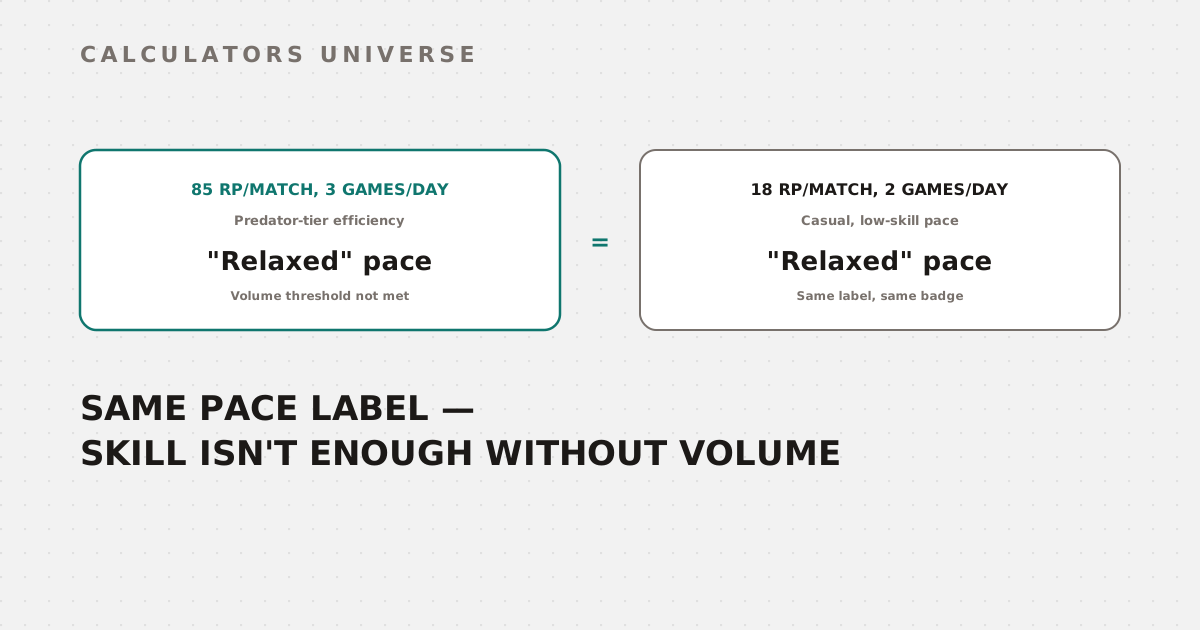
85 net RP per match is Predator-tier skill — but at only 3 games a day, this calculator labels it 'Relaxed,' the exact same pace tag a mediocre casual grinder gets. Pace needs volume, not just skill.
Apex Legends RP Calculator: Why Elite Efficiency Can Still Get Labeled “Relaxed”
Averaging 85 net RP per match is Predator-tier consistency — the kind of Top 3, 6+ elimination performance most players never sustain. Feed that number into the Apex Legends RP Calculator alongside a realistic 3 matches per day, though, and it gets tagged “Relaxed” pace — the exact same label a mediocre player grinding 18 RP per match would get. Pace classification isn’t just about skill; it requires clearing a match-volume threshold too, and that distinction changes how you should actually read the badge.
How the Core Estimate Works
Every projection starts from the same three numbers:
RP gap        = Target total RP − Current total RP
Matches needed = ceil(RP gap ÷ average net RP per match)
Days needed    = Matches needed ÷ matches played per day
“Average net RP per match” is the number that matters most, and it has to already account for the entry cost your current tier charges — not just your raw placement-and-kill RP.
Entry Cost Rises With Every Tier
Every ranked match charges an entry fee deducted before your placement and elimination points even count, and that fee climbs steadily as you rank up:
| Tier | Entry cost per match |
|---|---|
| Rookie | 0 RP |
| Bronze IV | 10 RP |
| Silver IV | 20 RP |
| Gold IV | 35 RP |
| Platinum IV | 45 RP |
| Diamond IV | 65 RP |
| Master | 90 RP |
This is why the “average RP per match” field has to be net, not gross. At Diamond IV, a player who earns 45 net RP per match (the “Balanced” playstyle preset) actually needs to be earning roughly 110 RP gross from placement and kills every match — the first 65 of it just pays the entry fee before any climb happens at all.
Pace Needs Both Skill and Volume
The calculator classifies your grinding pace into one of four labels, but each one requires clearing two thresholds simultaneously — RP efficiency and daily match volume:
| Pace label | Requirement |
|---|---|
| No-Life | 60+ net RP/match and 15+ matches/day |
| Grind | 40+ net RP/match and 8+ matches/day |
| Steady | 20+ net RP/match and 4+ matches/day |
| Relaxed | Anything below the above thresholds |
Neither number alone is enough. A player earning 85 net RP per match — well above the No-Life threshold — but only playing 3 matches a day doesn’t clear the 15-match volume requirement for any tier above “Relaxed.” The label reflects total grinding intensity, not skill level, and reading it as a skill indicator will make an elite low-volume player look far less impressive than they actually are.
The Split Timer Is a Fixed Assumption, Not a Real Date
The “on track” verdict compares your estimated days-to-target against how many days are left in the current ranked split — but that remaining-days figure is a fixed default of 45 days, not tied to any actual split calendar. Whether you run this calculator on day 1 of a split or day 40, the “on track” comparison uses the same 45-day assumption every time. If your split genuinely only has two weeks left, a projection reported as “on track” against the default 45 days could actually be dangerously behind schedule against the real deadline. Always cross-check against the actual days remaining in your current split before trusting the on-track verdict at face value.
A Full Worked Example: Diamond IV to Predator
Starting at Diamond IV (12,000 RP threshold, 0 LP), targeting the default Predator threshold (22,000 RP), using the “Balanced” playstyle preset (45 net RP/match) at 8 matches per day:
| Step | Calculation | Result |
|---|---|---|
| RP gap | 22,000 − 12,000 | 10,000 RP |
| Matches needed | ceil(10,000 ÷ 45) | 223 matches |
| Days needed | 223 ÷ 8 | 27.9 days |
| Pace classification | 45 RP/match, 8 matches/day | Grind |
| On track? | 27.9 days vs. the fixed 45-day default | Yes — but only against that fixed assumption |
223 matches at a genuinely sustained 45 net RP per match is a serious undertaking — and this projection assumes that average holds steady across every single match, with no losing streaks or off nights factored in.
How to Use the Apex Legends RP Calculator
- Open the Apex Legends RP Calculator.
- Enter your current tier, division, and LP.
- Set your target — Master or Predator — and adjust the Predator threshold if you have a more current figure from a live tracker.
- Enter your average net RP per match (after entry cost) and realistic matches per day, or use a playstyle preset as a starting point.
- Read the pace label alongside the actual RP/match and matches/day numbers — don’t treat the label alone as a skill measurement — and manually check your split’s real remaining days rather than trusting the fixed default for the on-track verdict.
Related Calculators
Check weapon time-to-kill across body, head, and leg shots with the TTK Calculator, and sync your mouse feel across games with the eDPI Calculator or Sensitivity Converter. Find your ideal field of view with the FOV & Sensitivity Calculator, measure your mechanical reaction time ceiling with Reaction Rank, and sync your ADS scope multipliers with the ADS Ratio Matcher.
Frequently Asked Questions
Why did I get labeled “Relaxed” pace even though my RP per match is excellent?
Because pace classification requires both a minimum RP-per-match efficiency and a minimum matches-per-day volume at the same time — clearing only one of the two thresholds isn’t enough to earn a higher pace label. A highly efficient player who plays only a few matches a day will still show as “Relaxed” even with Predator-tier RP efficiency.
Is the “on track” verdict based on the real number of days left in my split?
No — it compares your projected days-to-target against a fixed 45-day default, not an actual split calendar date. Splits typically run 6–8 weeks, so depending on when in that window you’re actually checking, the real days remaining could be significantly more or less than 45 — always verify against the actual split end date rather than trusting the badge alone.
Why does the calculator need “net” RP per match instead of my gross placement and kill RP?
Because every match deducts an entry cost before your placement and elimination points count, and that cost scales from 0 at Rookie up to 90+ at Master and Predator. Entering gross RP instead of net RP would make the projection wildly optimistic, especially at higher tiers where the entry fee alone can exceed 60–90 RP per match.
Does the calculator account for streak bonuses or Challenger bonuses automatically?
Not directly — it only ever sees the single “average net RP per match” number you provide. If your actual matches include Top 5 streak bonuses or Challenger bonuses for eliminating higher-ranked players, those need to already be baked into the average you enter, since the calculator has no separate field for them.
How accurate is the default Predator threshold?
The default (22,000 RP) is a static placeholder, not a live figure — the real Predator cutoff is dynamic, since Predator represents a fixed top-750-players-per-platform leaderboard rather than a fixed RP number, and it rises throughout a split as more players climb. Override the Predator Threshold field with a current figure from a live tracker for an accurate projection, especially late in a split when the real cutoff can be meaningfully higher than the default.
A pace label and an “on track” badge both compress a lot of assumptions into a single word — worth unpacking both before deciding your climb is actually going as well (or as urgently) as the calculator’s shorthand suggests.
External Resources
- EA Help Center — How Apex Legends Ranked Works — official ranked system documentation
- Apex Legends Status — Live Predator Thresholds — real-time, per-platform Predator RP cutoffs