Fortnite Creative Payout: How Epic's Engagement Pool Actually Pays Creators
Epic puts 40% of Fortnite's net revenue into a single engagement pool with no published dollar-per-hour rate. Here's the real formula and how to model your own payout range.
Fortnite Creative Payout: How Epic’s Engagement Pool Actually Pays Creators
Epic puts 40% of Fortnite’s qualifying net revenue — Item Shop purchases, Battle Pass sales, the works — into a single monthly Engagement Payout pool, and then splits it across every eligible island and experience on the platform. There is no published rate per view, per CCU, or per hour anywhere in that process. Any calculator, spreadsheet, or forum post that hands you a fixed “$X per 1,000 players” number is making that number up. Here’s what Epic actually discloses, and how to build a defensible Fortnite creative payout estimate with the Fortnite Payout Calculator instead.
What Is the Fortnite Engagement Payout?
The Engagement Payout is the mechanism Epic uses to pay UEFN and Fortnite Creative developers for player activity on their islands. According to Epic’s own developer documentation, the pool is funded by 40% of qualifying Fortnite net revenue, then distributed based on a handful of signals tied to each island:
- Active playtime — how many player-hours an island generates
- Island retention — whether players come back on a later day, not just once
- Engagement surrounding Item Shop spend — playtime that sits near a V-Bucks purchase
- Acquisition — bringing new or lapsed players back into Fortnite at all
Epic does not publish weights for any of these signals, and it does not publish a fixed conversion rate from player-hours to dollars. That’s a deliberate design choice — a variable pool means Epic can’t promise a number that a sudden spike in Item Shop revenue (or a slow month) would immediately break.
The Formula You Can Actually Build
Since Epic won’t give you a fixed rate, the only honest approach is a scenario range: convert your traffic into player-hours, then apply a low and a high rate per 1,000 hours that you calibrate yourself from your own historical payouts. That’s exactly what the Fortnite Payout Calculator does — it never invents an official Epic number, it just does the arithmetic transparently.
| Output | Formula | Purpose |
|---|---|---|
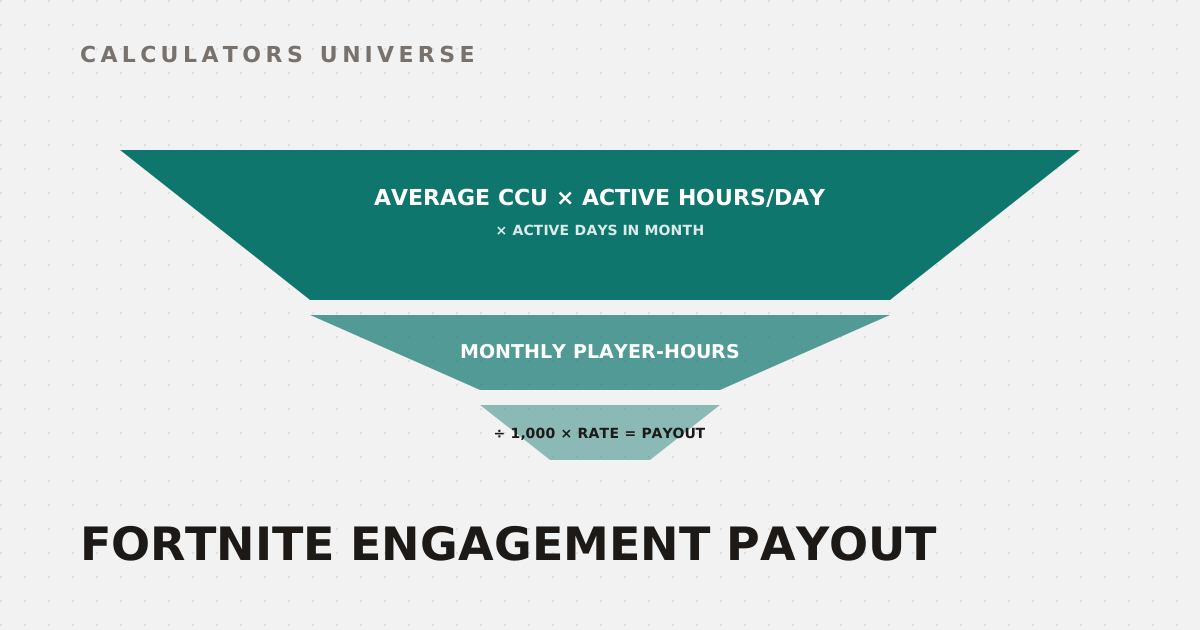
| Daily player-hours | Average CCU × active hours/day | Accounts for islands that aren’t active 24/7 |
| Monthly player-hours | Daily hours × active days in month | Builds the monthly activity base |
| Estimated sessions | Hours × 60 ÷ average session minutes | Gives volume context for onboarding/retention work |
| Payout scenario | Hours ÷ 1,000 × assumed rate | Produces an editable low/mid/high range |
The “assumed rate” is the part you have to earn yourself. Export a previous month’s actual Creator Portal payout, estimate that month’s player-hours from analytics (not peak CCU), divide payout by hours, and multiply by 1,000. Do that for a few months and you have a rate range built from your own islands — far more defensible than a number pulled from a YouTube thumbnail.
A Real Worked Example
Say your island averages 100 concurrent players, is meaningfully active 12 hours a day, over 30 days, with an average session length of 30 minutes. That’s:
- Daily player-hours: 100 × 12 = 1,200
- Monthly player-hours: 1,200 × 30 = 36,000
- Estimated sessions: 36,000 × 60 ÷ 30 = 72,000
Apply a planning range of $10–$20 per 1,000 player-hours (your own calibrated low and high), and the payout scenario becomes:
- Low: 36,000 ÷ 1,000 × $10 = $360
- Mid: 36,000 ÷ 1,000 × $15 = $540
- High: 36,000 ÷ 1,000 × $20 = $720
Now factor in retention. Epic explicitly lists island retention as an engagement signal, but publishes no fixed multiplier for it — so the honest move is qualitative guidance, not an invented bonus. This island’s Day 1 retention of 20% lands in the middle tier:
| Day 1 retention | Signal | What it means |
|---|---|---|
| 30% or higher | Strong return signal | Confirm the trend holds in Creator Portal over several months |
| 15%–29% | Developing retention | Test onboarding, progression pacing, and update cadence |
| Below 15% | Retention opportunity | Review first-session friction; give players a reason to come back |
That’s the entire model: real traffic math, an editable rate range you calibrate yourself, and retention treated as context rather than a fabricated cash multiplier.
How to Use the Fortnite Payout Calculator
- Open the Fortnite Payout Calculator.
- Enter your island’s average CCU, active hours per day, and active days in the month.
- Add your average session length and Day 1 retention percentage.
- Set your own low and high planning rate per 1,000 player-hours — pull these from your Creator Portal payout history if you have it, or start with a conservative range if you don’t.
- Read the min/mid/max payout scenario, plus the monthly player-hours and estimated session count underneath it.
The output is a planning range, not a guarantee — Epic’s actual formula and pool size can move month to month, which is exactly why the calculator keeps the rate assumption in your hands instead of hardcoding one.
Related Calculators
Model your own numbers with the Fortnite Payout Calculator, then check what your V-Bucks balance is really worth with the Fortnite V-Bucks Value Calculator. Track Battle Pass progress with the Fortnite XP & Level Calculator, price out an OG skin with the Fortnite OG Skin Value Calculator, and if you’re splitting income with collaborators, use the Revenue Split Calculator. Compare production costs against creator revenue with the UGC Profit Margin Calculator.
Frequently Asked Questions
How much does Fortnite Creative actually pay per 1,000 players?
There is no fixed rate — Epic does not publish a dollars-per-player or dollars-per-view conversion anywhere in its documentation. Engagement payouts come from a variable pool tied to playtime, retention, Item Shop proximity, and player acquisition, so the same CCU on two different islands can produce different payouts. The only reliable rate is one you calculate yourself from your own Creator Portal history.
Can I predict my Fortnite payout from CCU alone?
CCU gets you to player-hours once you factor in active hours per day and days in the month, but player-hours alone don’t reveal the full payout weight. Retention, acquisition, and Item Shop-adjacent engagement all factor into Epic’s actual formula. Use CCU as your traffic input, then calibrate the dollar rate from your own historical payout data rather than a universal benchmark.
Does better retention increase my Fortnite Creative payout?
Epic lists island retention as one of its engagement payout signals, so returning players do matter to the calculation. Epic has not published a specific multiplier or bonus tied to a retention percentage, though, which is why a responsible calculator reports retention as qualitative guidance rather than an invented cash bonus. Focus on onboarding and repeat-play mechanics rather than chasing a number that doesn’t exist publicly.
When does Epic post Fortnite engagement payouts?
Epic’s documentation states that engagement payouts are calculated on a monthly basis and posted approximately 30 days after the close of that monthly period. Creator Portal estimates shown before that date are not final and can shift. Budget around the posted, finalized number rather than any mid-month estimate.
Is a Fortnite payout calculator estimate guaranteed to match my real payout?
No — it’s a planning scenario built from your traffic and your own rate assumptions, not an official Epic number. Actual payouts depend on Epic’s eligible revenue pool for that period, the exact formula weighting, your island’s eligibility status, and how your engagement compares to every other qualifying island. Treat the output as a budgeting range, not a promise.
Epic keeps the Engagement Payout formula deliberately opaque because a fixed public rate would have to survive every swing in Item Shop revenue, and it can’t. The workaround isn’t finding the “real” rate someone is hiding — it’s building your own from your actual payout history and treating everything else as a scenario.
External Resources
- Engagement Payout in Fortnite Creative — Epic’s official documentation on the engagement pool, formula metrics, and eligibility
- Account-Level Monetization in Fortnite — Epic’s documentation on Creator Portal payout reports and estimates