AIO vs Air Cooler Calculator: How a 65W CPU Can Still Score an AIO Recommendation
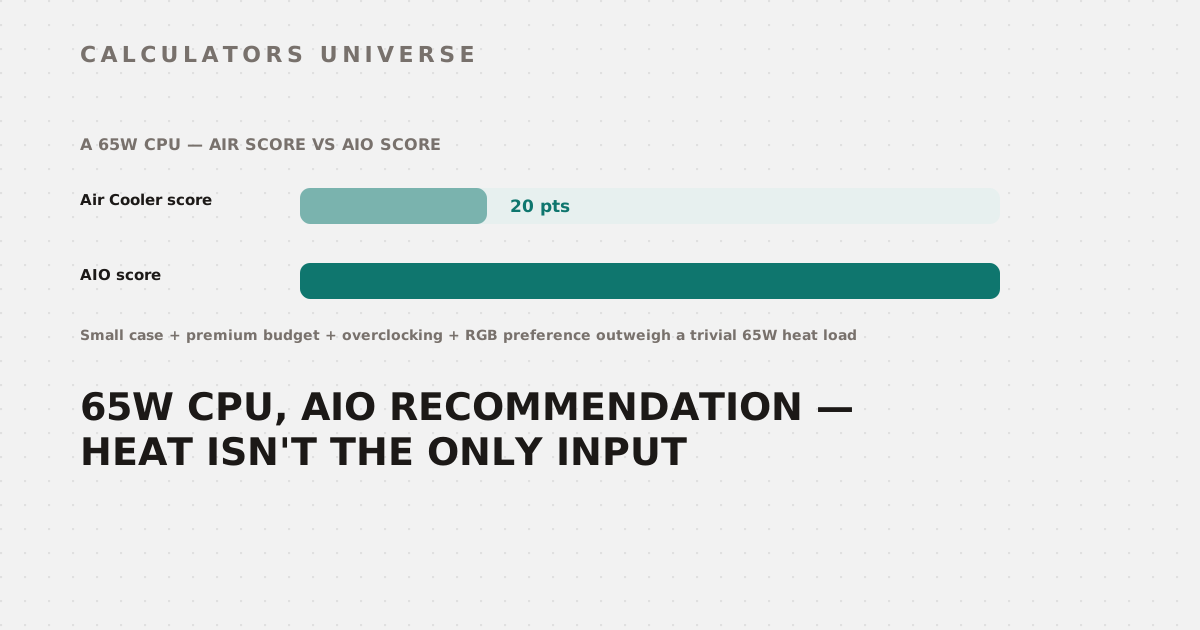
A CPU that barely gets warm can still land an AIO recommendation, 75 points to 20 — if your case, budget, overclocking plans, and RGB preference all point the same direction. The exact scoring math.
AIO vs Air Cooler Calculator: How a 65W CPU Can Still Score an AIO Recommendation
A 65-watt CPU barely gets warm — yet run it through the AIO vs Air Cooler Calculator with a small case, a premium budget, overclocking plans, and an RGB aesthetic preference, and the tool scores it 75 points for AIO against just 20 for air, recommending a liquid cooler anyway. Heat output is only one of six inputs this calculator weighs, and it’s entirely possible for the other five to outvote it. Here’s the exact point system behind every recommendation.
The Six Scoring Factors
Every recommendation is built from points added to two running totals — one for air, one for AIO — based on six independent inputs:
| Factor | Air points | AIO points |
|---|---|---|
| TDP ≤ 65W | +20 | +10 |
| TDP 66–100W | +15 | +15 |
| TDP 101–150W | +10 | +20 |
| TDP 151–200W | +5 | +25 |
| TDP > 200W | +0 | +30 |
| Small/ITX case | −10 | +10 |
| Mid-tower case | +5 | +5 |
| Full-tower case | +10 | +5 |
| Silent noise priority | +10 | +5 |
| Balanced noise priority | +5 | +5 |
| Performance noise priority | +5 | +10 |
| Budget tier | +15 | +0 |
| Mid-range budget | +5 | +10 |
| Premium budget | +5 | +15 |
| Overclocking planned | +0 | +15 |
| No overclocking | +5 | +0 |
| RGB aesthetic preference | +0 | +15 |
| No aesthetic preference | +5 | +0 |
Only TDP ever subtracts points from air cooling directly (a small case does too, at −10). Every other factor is purely additive to one side or the other.
Three Decision Rules, Applied in Order
Once both scores are totaled, the recommendation isn’t just “whoever has more points” — three separate rules apply, checked in this order:
- Hard TDP override: above 200W, AIO wins automatically regardless of score — above 250W specifically, the tool recommends a 420mm AIO or custom loop outright. Every other input is ignored entirely once TDP crosses these lines.
- Low-TDP RGB exception: at 65W or below, air wins by default unless the AIO score beats the air score by more than 15 points and you selected the RGB aesthetic preference — in which case a small 120mm or 240mm AIO is recommended anyway.
- The ±15-point gap rule: between 66W and 200W, whichever side leads by more than 15 points wins outright. If neither side leads by more than 15 points, a tie-break applies: air wins at 150W or below, AIO wins above 150W.
Worked Example 1: The RGB Override at 65W
Small case, performance noise priority, premium budget, planning to overclock, RGB aesthetic preference, 65W CPU:
| Factor | Air | AIO |
|---|---|---|
| TDP ≤ 65W | +20 | +10 |
| Small case | −10 | +10 |
| Performance noise | +5 | +10 |
| Premium budget | +5 | +15 |
| Overclocking planned | +0 | +15 |
| RGB preference | +0 | +15 |
| Total | 20 | 75 |
AIO leads by 55 points — comfortably past the 15-point threshold required to trigger the RGB exception at this TDP. The result: a 120mm or 240mm AIO recommendation, with 45% thermal headroom (a 120mm-class radiator rated around 120W of capacity against a 65W load) and an estimated $60–$140 price range. Every individual preference here nudged toward liquid cooling; none of them concerned the CPU’s actual heat output.
Worked Example 2: The Tie-Break Overriding the Higher Score
150W CPU, mid-tower case, balanced noise priority, mid-range budget, no overclocking, no aesthetic preference:
| Factor | Air | AIO |
|---|---|---|
| TDP 101–150W | +10 | +20 |
| Mid-tower case | +5 | +5 |
| Balanced noise | +5 | +5 |
| Mid-range budget | +5 | +10 |
| No overclocking | +5 | +0 |
| No aesthetic preference | +5 | +0 |
| Total | 35 | 40 |
AIO actually finishes with the higher raw score — 40 versus 35 — but the 5-point gap doesn’t clear the 15-point threshold either direction, so the tie-break rule takes over. Since this build’s TDP (150W) sits at or below the 150W tie-break line, Air Cooler wins anyway, recommended as a dual-tower unit. The thermal headroom on that recommendation comes out to a tight 6% — a 160-rated dual-tower cooler against a 150W load — which is the calculator’s way of saying this particular pick is a reasonable choice, not a comfortable one.
Worked Example 3: When Scores Stop Mattering Entirely
At any TDP above 200W, none of the six factors change the outcome. A 220W CPU with a silent-noise preference, budget-tier pricing, no overclocking, and no aesthetic preference still gets recommended a 360mm AIO — the same result a 220W CPU with every opposite preference would get. Past 250W, the recommendation becomes “custom loop or 420mm AIO,” again regardless of every other input. The scoring system exists specifically for the 0–200W range; above it, physics alone makes the call.
Reading the Thermal Headroom Number
Thermal headroom is a separate calculation from the recommendation itself: each cooler class carries an assumed heat-dissipation rating (80W for entry air coolers, up to 350W for the top AIO/custom-loop tier), and headroom is (rating − your TDP) ÷ rating × 100. A recommendation with 45% headroom has real thermal margin to spare; one with 6%, like the tie-break example above, is a valid pick that’s running close to its assumed ceiling.
How to Use the AIO vs Air Cooler Calculator
- Open the AIO vs Air Cooler Calculator.
- Enter your CPU’s TDP, case size, noise preference, budget, overclocking plans, and aesthetic preference.
- Read the recommendation and product tier, then check the thermal headroom percentage to see how much margin that specific pick actually has.
- If your result surprises you, recheck which single factor is likely driving it — a strong preference on any one of the five non-TDP inputs can be enough to flip the outcome in the 0–200W range.
For the physics behind why liquid cooling actually pulls ahead at high heat loads, see AIO vs Air Cooler: The Real Thermal Math Behind CPU Cooling.
Related Calculators
Find your CPU’s real sustained heat output with the CPU & GPU Cooling TDP Calculator, and check your case’s airflow balance once you’ve picked a cooler with the PC Case Fan Airflow Calculator. Size a full custom loop with the Custom Water Cooling Loop Calculator, see how much extra heat overclocking would add with the CPU Overclocking Headroom Estimator, and split your total budget across every component with the PC Build Budget Planner.
Frequently Asked Questions
Can a low-wattage CPU really get recommended a liquid cooler?
Yes — at 65W or below, the calculator defaults to air unless the AIO score beats the air score by more than 15 points and RGB aesthetics were selected, a combination the worked example above clears easily (75 to 20). Outside of that specific RGB exception, low-TDP builds are pushed toward air cooling by default.
Why did my build get a different recommendation than the higher-scoring option?
Between 66W and 200W, the calculator doesn’t simply pick whichever score is higher — it requires a lead of more than 15 points to declare a winner outright. If neither side clears that gap, a fixed tie-break rule decides instead (air at 150W or below, AIO above it), which can occasionally hand the win to the side with the lower raw score.
Do my case size, noise, or aesthetic preferences matter at all above 200W?
No — once CPU TDP exceeds 200W, the calculator returns a fixed AIO recommendation (360mm, or a custom loop/420mm AIO above 250W) regardless of every other input. The scoring system that weighs case size, noise, budget, overclocking, and aesthetics only applies within the 0–200W range.
What does a low thermal headroom percentage actually mean?
It means the recommended cooler class is assumed to handle only slightly more heat than your CPU is expected to produce — not that the recommendation is wrong, just that it has less margin for boost clocks, ambient temperature swings, or future overclocking. A recommendation with single-digit headroom is still valid, but a size-up is worth considering if any of those factors apply to your build.
Is the point-based scoring system the same thing as a benchmark comparison?
No — this tool doesn’t compare measured cooling performance between specific cooler models. It’s a decision framework that converts your stated priorities (heat, space, noise, budget, overclocking, looks) into a single recommendation and product tier, meant to shortcut hours of individual product research rather than substitute for a benchmark database.
Six inputs feed this calculator, but they don’t carry equal weight in every scenario — a build’s actual heat output can be completely overridden by preference at low wattage, completely irrelevant above 200W, and anywhere in between, decided by a tie-break rule rather than the raw point totals.
External Resources
- Wikipedia — Heat sink — overview of air-cooling principles and designs
- Wikipedia — Water cooling — overview of liquid-cooling systems