DLSS vs FSR vs Native: A Visual Breakdown of Upscaling Performance and Image Quality Trade-offs
DLSS 4, FSR 4, and native rendering render a very different number of actual pixels. The real math behind each, and the hardware gates most people miss.
DLSS vs FSR vs Native: What’s Actually Being Rendered
Every GPU generation reignites the same argument: is upscaling “free performance” or a compromise dressed up as one? The honest answer needs actual numbers, not vibes — how many pixels each mode really renders, which hardware each technology actually requires, and where the quality trade-off genuinely becomes visible.
What Upscaling Actually Does
Upscaling doesn’t just stretch a smaller image — it renders the frame internally at a lower resolution, then reconstructs it up to your target resolution using motion vectors and data from previous frames (NVIDIA’s DLSS and Intel’s XeSS use a trained AI model for this reconstruction; AMD’s FSR historically used a more algorithmic, non-AI approach, though its newest generation has closed that gap significantly). Done well, this recovers detail a simple stretch never could. Done at an aggressive setting, it can’t invent detail the low-resolution frame never captured.
The Three Contenders Right Now
- NVIDIA DLSS 4 — the current flagship, using a transformer-based AI model. RTX 40 and 50 series cards additionally get Multi Frame Generation.
- AMD FSR 4 — AMD’s first fully AI-accelerated reconstruction generation, launched exclusive to RX 9000 series (RDNA 4) cards.
- Intel XeSS — runs at its best quality on Intel Arc’s dedicated matrix cores (the XMX path), with a lower-quality fallback path available on non-Intel GPUs too.
What Each Quality Mode Actually Renders
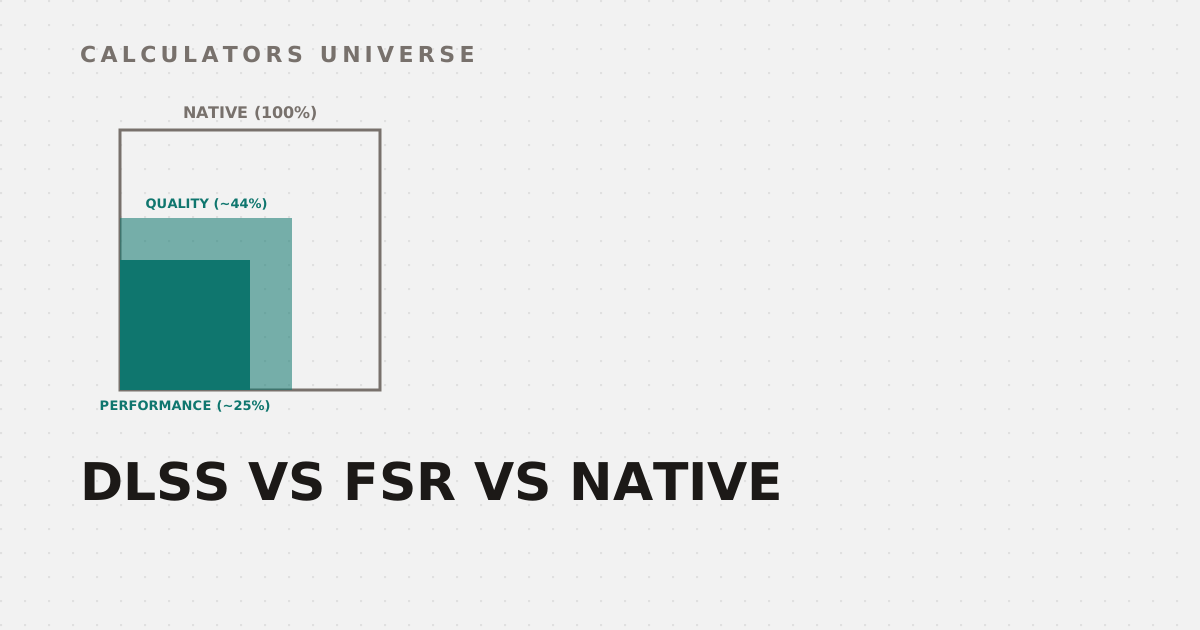
The “Quality,” “Balanced,” “Performance,” and “Ultra Performance” presets set how much smaller the internally rendered frame is before reconstruction — and because resolution is two-dimensional, a modest-sounding percentage drop per side is a much bigger drop in total pixel count:
| Mode | Resolution Scale (per side) | Actual Pixel Area Rendered |
|---|---|---|
| Quality | 66.7% (~1.5x upscale) | ~44% of native |
| Balanced | 58% (~1.7x upscale) | ~34% of native |
| Performance | 50% (2x upscale) | ~25% of native |
| Ultra Performance | 33.3% (3x upscale) | ~11% of native |
Area, not side length, is what determines actual GPU workload — Performance mode renders roughly a quarter of native's pixels
Working out where your own GPU, monitor, and viewing distance land on this trade-off is exactly what the DLSS Quality Score Calculator is built to estimate — visual fidelity loss weighed against FPS gain, rather than a generic recommendation.
The Hardware Gate Most People Miss
Here’s the part that trips up a lot of upgrade decisions: the newest upscaling generation isn’t available on every card from that brand. FSR 4 launched exclusive to AMD’s RX 9000 series (RDNA 4). As of July 2026, AMD has started rolling FSR 4.1 out to RX 7000 series (RDNA 3) cards too — but running on a different instruction path (INT8 instead of the RX 9000’s native FP8), which trades a small amount of performance for the visual quality upgrade. RX 6000 series (RDNA 2) support isn’t expected until early 2027. DLSS 4’s Multi Frame Generation is similarly gated to RTX 40 and 50 series hardware. In both cases, owning last-gen hardware doesn’t guarantee this generation’s best upscaling — check what your specific GPU can actually deliver before assuming an upgrade path.
Does Upscaling Actually Hurt Image Quality?
At Quality mode, modern AI upscaling is frequently considered visually comparable to — and in some scenes, sharper than — native resolution with standard anti-aliasing, because temporal reconstruction can recover fine detail that native rendering’s own anti-aliasing softens away. The trade-off becomes genuinely visible at Performance and especially Ultra Performance settings, where thin geometry, fast motion, and fine text can show softness or trailing artifacts the reconstruction can’t fully hide. The right mode depends on your specific resolution and how far you sit from the screen — which is exactly the variable the DLSS Quality Score Calculator factors in.
When Upscaling Isn’t the Actual Bottleneck
Upscaling only addresses one specific bottleneck — GPU render/shading workload. It doesn’t fix everything:
- VRAM overflow causes stuttering independent of render resolution — texture and asset memory footprint doesn’t shrink just because you’re rendering fewer pixels. Check your headroom with the VRAM Limit Estimator.
- Path tracing (“Overdrive”-style full path-traced lighting) is expensive enough that even Quality-mode upscaling and frame generation together are often required just to hit playable frame rates — model your expected FPS with the Path Tracing FPS Projector.
- Load times are a storage bottleneck, not a rendering one — DirectStorage GPU decompression addresses that separately. Compare drive and API impact with the DirectStorage Loading Benchmarker.
- Next-gen raw hardware may reduce how much upscaling you need to lean on in the first place — see where next-generation GPUs are projected to land against your CPU with the RTX 60-Series Bottleneck Calculator.
- AI-driven game logic (NPC behavior, real-time physics) is an entirely separate emerging workload from image upscaling, increasingly handled by dedicated NPU hardware — check your processor’s headroom with the NPU Bottleneck Calculator.
Frequently Asked Questions
Does using DLSS or FSR actually reduce image quality?
At Quality mode, the difference from native is often minimal or even favorable in some scenes; the trade-off becomes clearly visible at more aggressive Performance and Ultra Performance settings, especially with fine detail or fast motion.
What’s the actual difference between DLSS and FSR?
DLSS uses a trained AI model running on NVIDIA’s dedicated Tensor cores. FSR’s newest generation (FSR 4) is now also AI-accelerated, but requires newer AMD hardware to run at full quality — older Radeon cards depend on the previous algorithmic FSR generation or a lower-quality compatibility path.
Can I get FSR 4 on an older AMD card?
Partially — AMD began rolling FSR 4.1 out to RX 7000 series cards in July 2026 using a different, slightly less efficient instruction path than RX 9000 series cards use natively. RX 6000 series support is planned for early 2027.
Does upscaling help if my game is stuttering from VRAM issues?
Not directly — VRAM usage is driven mainly by texture and asset data, which doesn’t shrink just because the GPU is rendering internally at a lower resolution.
Which upscaling mode should I actually use?
Quality mode is the safest default for most setups. Performance or Ultra Performance make more sense at higher output resolutions (like 4K) where the reconstructed image still has plenty of final pixels to work with, or when chasing a specific frame rate target on capped hardware.
Related Calculators
Start with the DLSS Quality Score Calculator to find your own perceptual sweet spot, then check for other real bottlenecks with the VRAM Limit Estimator, Path Tracing FPS Projector, and DirectStorage Loading Benchmarker. For next-gen planning, see the RTX 60-Series Bottleneck Calculator and NPU Bottleneck Calculator.
External Resources
- NVIDIA GeForce Graphics Cards — official DLSS and hardware generation specifications
- AMD FSR Technologies — AMD’s official FSR page, including current supported hardware